Pilot · for Mac

Paperwork that sorts itself.

Archivar reads every document, works out what it is and who it belongs to, and files it where you'll find it next time. You just check and confirm.

Any documentan invoice, a contract or a phone photo
15 languagesinterface and documents
Your archive, your machineon your computer, not someone else's cloud
See it

Watch Archivar at work

A bakery drops in documents with messy file names. Archivar reads them, names them, files them, watches the due dates and answers questions from the company's own documents. The demo company is fictitious.

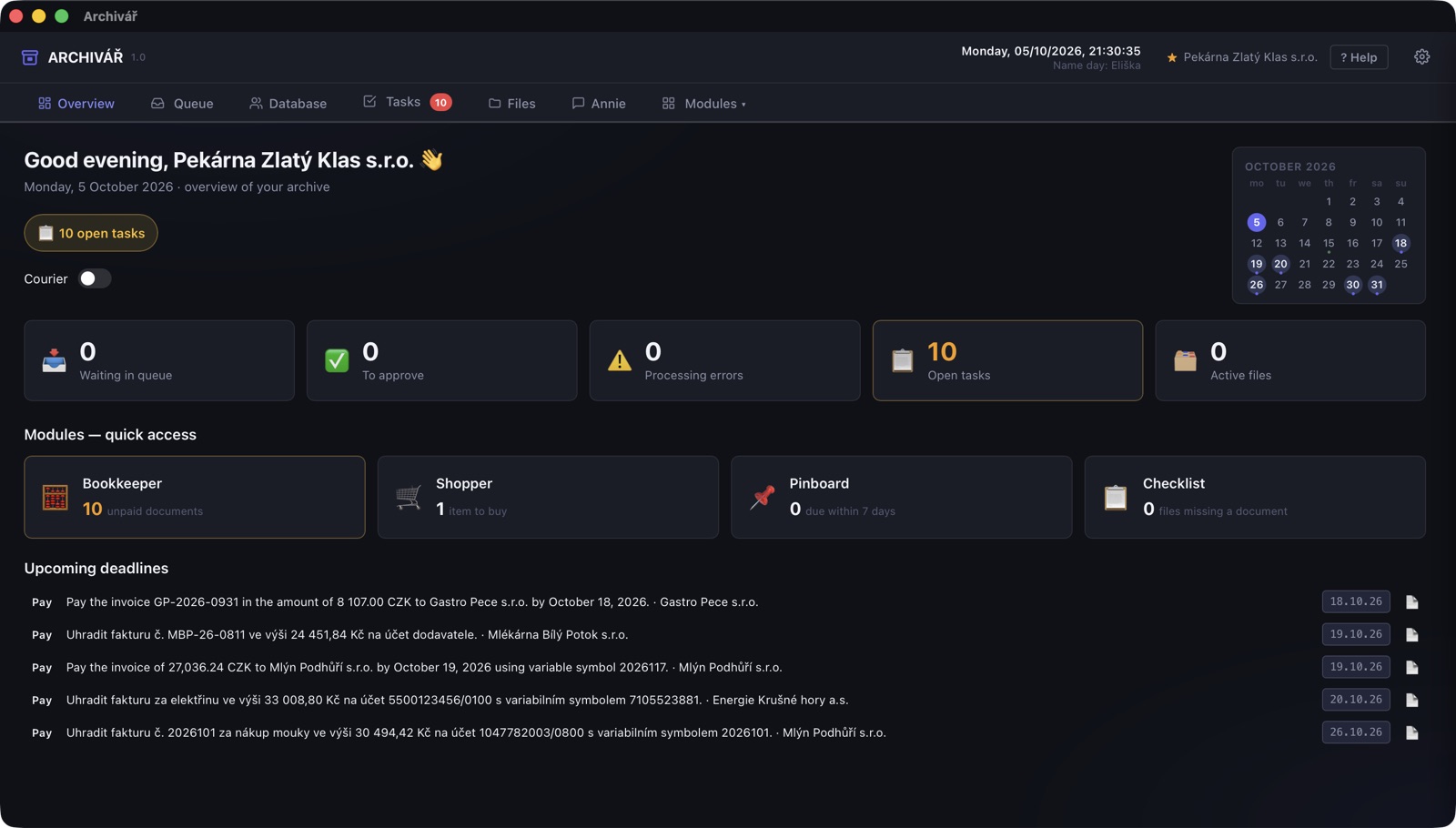
Overview: deadlines, tasks and modules in one place
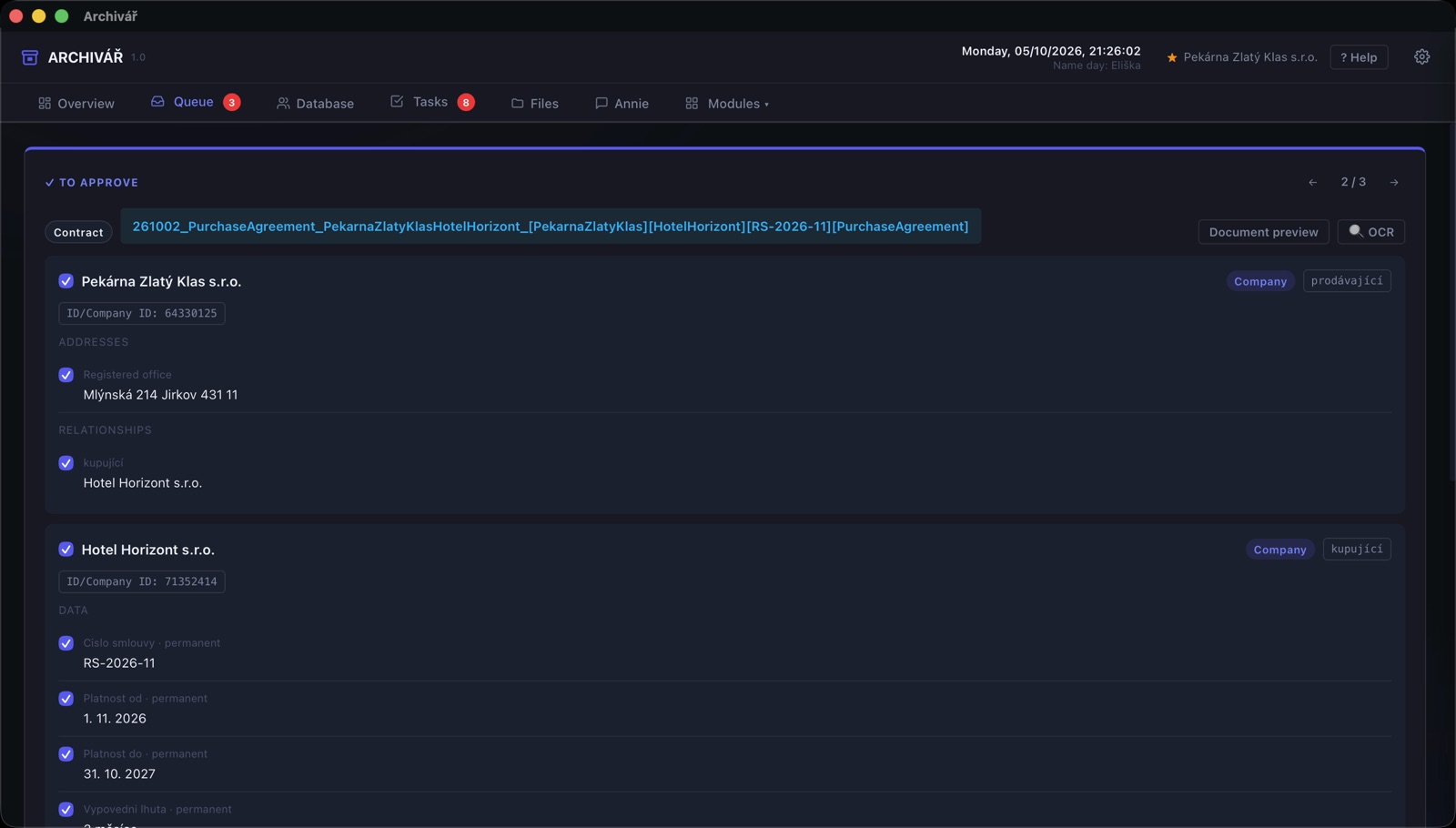
What the AI pulled out of a contract — for you to check before saving
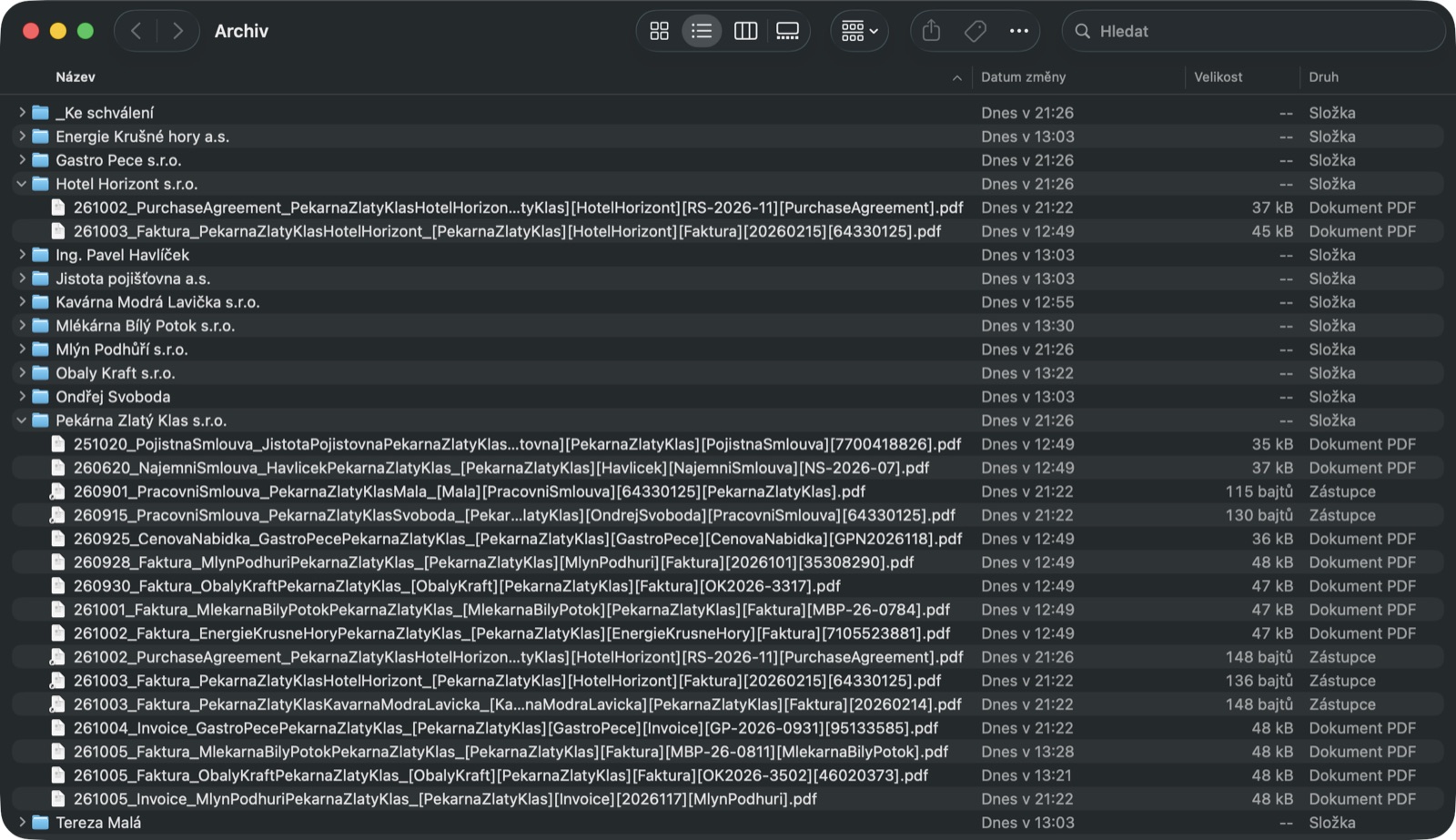
The archive on your disk: a folder per company, consistent names, shortcuts for the other parties
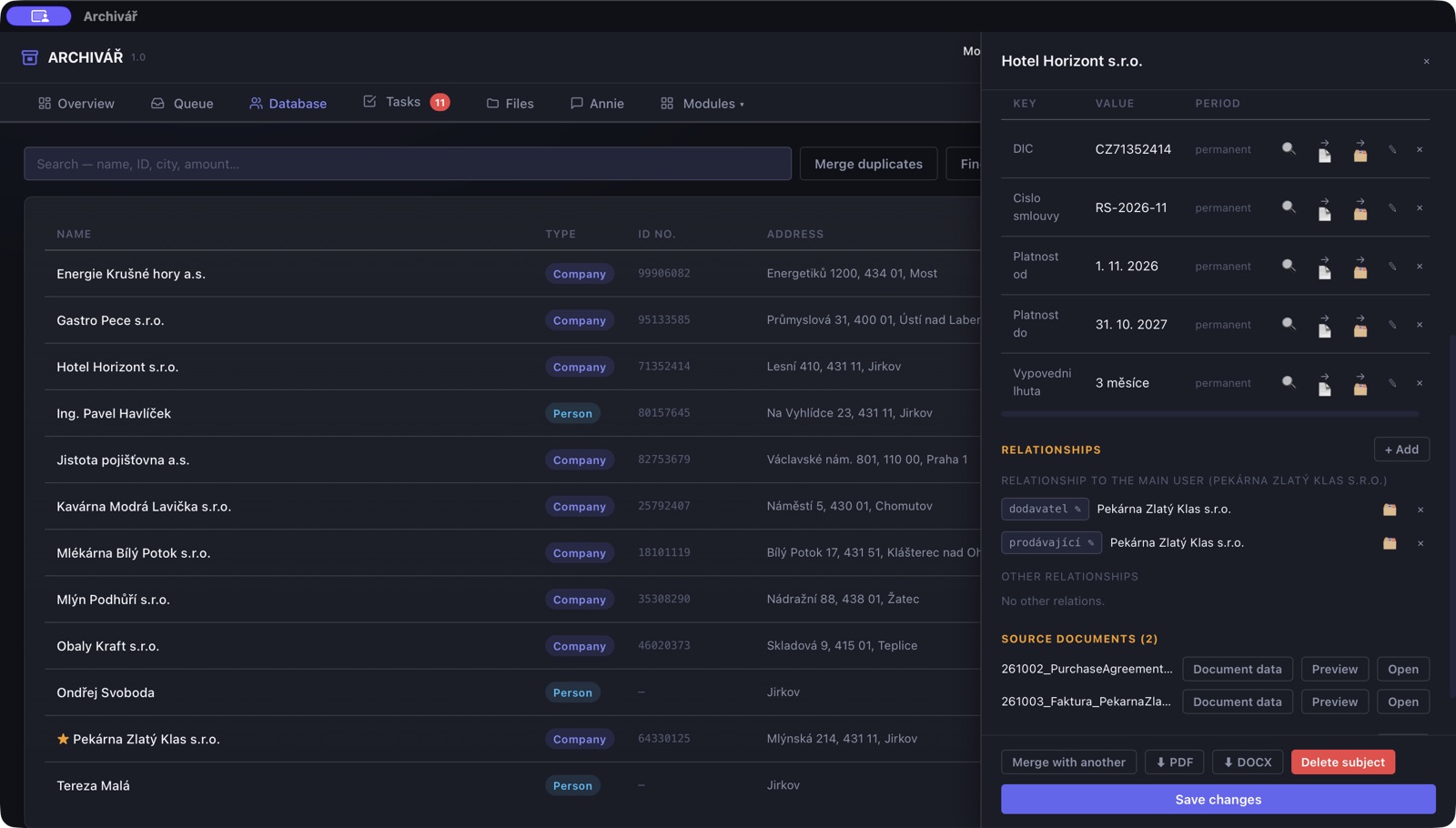
Company card: details, relationships and documents from all your papers
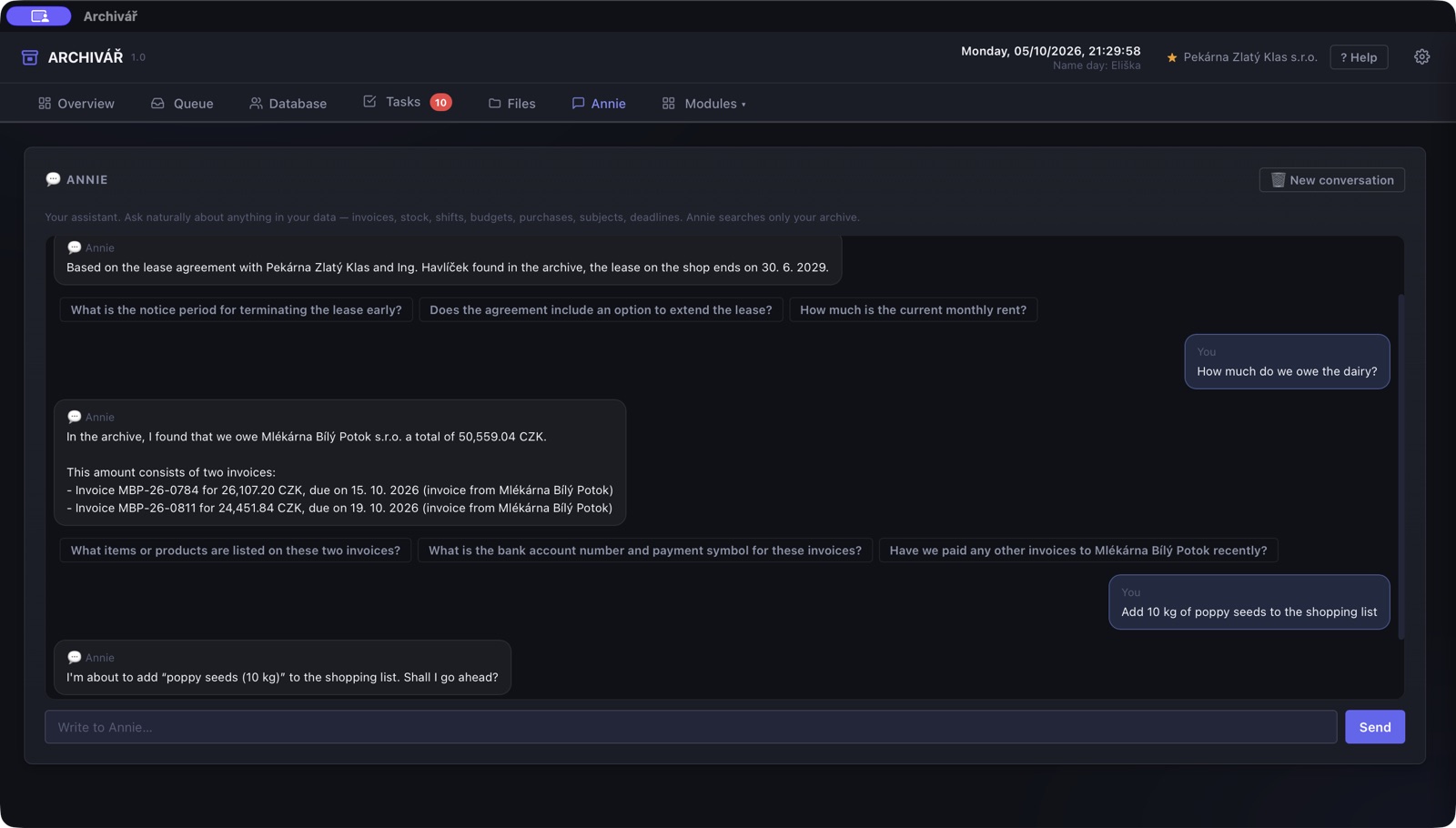
Annie answers from your documents
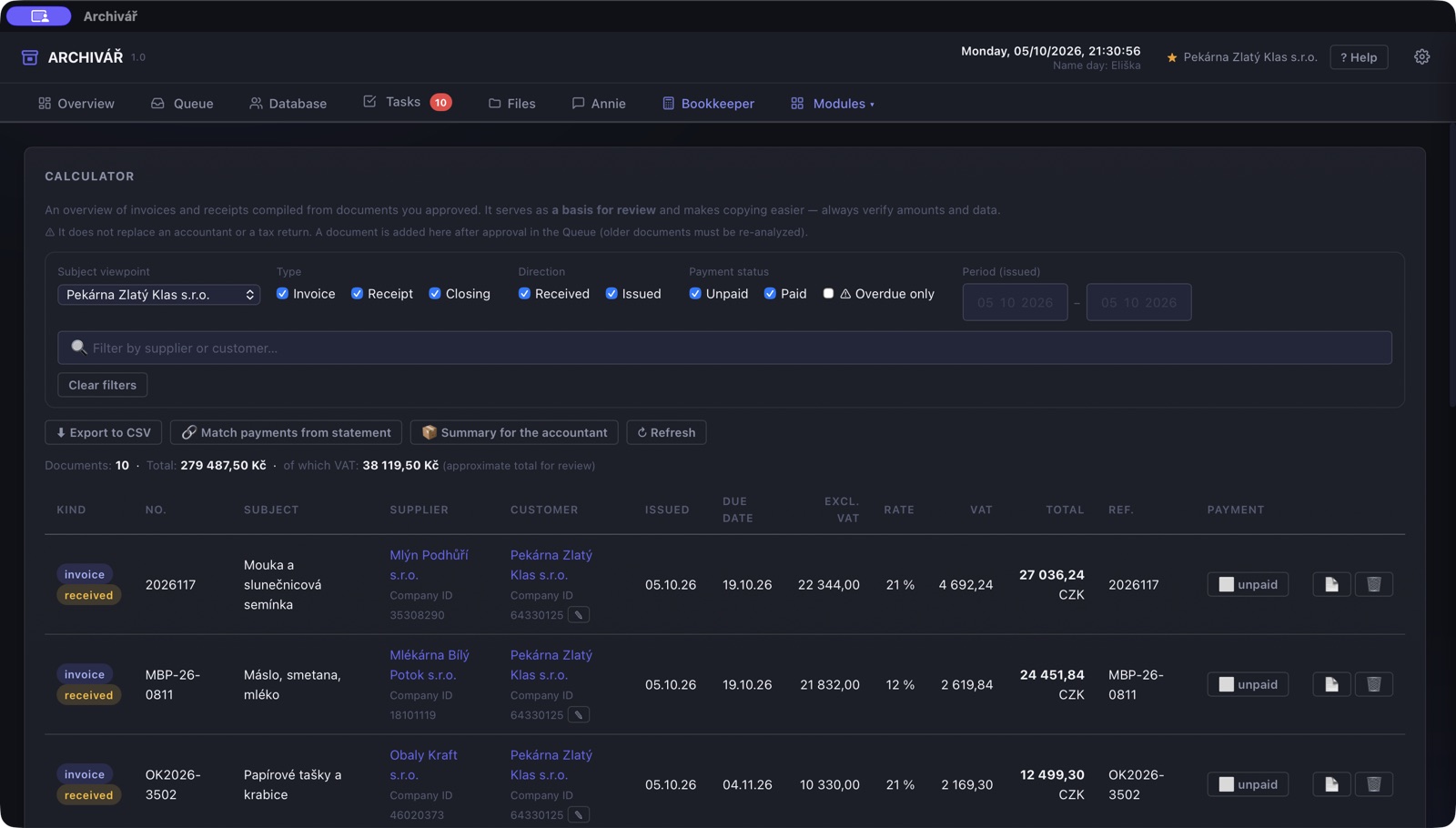
Bookkeeper: invoices neatly organised for your accountant
Sound familiar?

Where's that contract?

Paperwork piles up faster than you can sort it. And when you need something, the search begins.

Deadlines that slip through

An invoice due date, a notice period, an inspection date. It's all written down somewhere — just not where you happen to look.
Folders where nothing can be found

Dozens of files called “scan_0042.pdf”. Finding one particular document always takes longer than it should.

Who is who, anyway

The same name in five documents. Is it still the same Mr Novak? And where are all his contracts?

How it works

Three steps. No sorting.

Add it

Drag a document into the app, take a photo with your phone, or let Archivar watch the folder your scanner saves to.

Check it

Archivar reads the document and shows you what it found. Just confirm — or correct anything that's off.

Done

The document gets a clear name and is filed with the right person or company. Deadlines appear in your overview on their own.

What you get

Order that keeps itself

Archivar turns your documents into an overview of people, companies, money and deadlines. The more it reads, the more it knows.

Find anything in seconds

Ask in plain words — say, “how much did we pay for energy last year?” — and get the answer along with the document it comes from.

No missed deadlines

Due dates, notice periods and inspection dates go up on a board, with a reminder before they run out.

Knows who is who

People and companies are recognised by birth number and company ID. Two John Smiths are never mixed up, and every document of each is one click away.

An archive that stays tidy

Every document sits in the folder of the person it belongs to, and everyone else involved gets a link to it. When someone's name changes, after a wedding for instance, the folder is renamed for you.

Invoices without retyping

Invoices and receipts become a ledger, bank statements are matched to payments, and your accountant gets everything ready to use.

Understands every language

It reads documents in any language and speaks fifteen itself. And it knows its way around Czech specifics — ARES, company IDs, VAT and official forms.

Who it's for

For anyone with more paperwork than time

Households

Contracts, insurance policies, warranties and letters from authorities in one place — with a reminder before anything expires.

Sole traders

Invoices, receipts and client contracts without sorting them late at night. Your accountant gets the paperwork, you get peace of mind.

Small businesses

Suppliers, customers, employees and their documents in one connected overview — stock and shifts included.

Offices and property managers

Accountants, property managers, offices with dozens of clients. Hundreds of documents, each found on the first try.

Modules

Grows with you

Anyone can handle the basics. When you need more, switch on modules — each one does one job properly.

Search and overview

Ask questions, spot connections, keep files complete.

  • Detective — answers questions about your documents
  • Annie — a personal assistant across everything
  • Connector — shows what's connected to what
  • Checklist — flags when a file is missing something

Deadlines and documents

Nothing slips, nothing gets lost.

  • Pinboard — due dates and deadlines with reminders
  • Courier — processes your scanner folder on its own
  • Analyst — takes one document apart in depth
  • Forms — pre-fills PDF forms for you

Money

From receipts to budgets.

  • Bookkeeper — ledger, VAT and payment matching
  • Budgeter — budgets from price quotes
  • Shopper — a shopping list with offers from the web

Business

Run things without spreadsheets.

  • Stockkeeper — stock from invoices and delivery notes
  • Shift Planner — shift rotas from employment contracts
Security and privacy

Your documents stay yours

No small print. Here is exactly what happens to them.

Your archive stays with you

Documents and the database live on your computer. Archivar has no cloud of its own and we have no access to your data.

AI reads, but doesn't remember

Documents are read by Gemini, a model made by Google; web search and some other features use Claude by Anthropic. They pass through our server, which neither stores nor logs the content, and the AI providers do not train on it.

Locked and backed up

Lock your archive with a password. A backup of the whole archive is saved in a single encrypted file, and you can restore it on a new computer.

Under contract, GDPR-ready

Processing is covered by a GDPR agreement. The AI provider holds SOC 2 Type II, ISO 27001 and ISO 42001 certifications.

For completeness: AI providers may keep request content for a limited time to detect abuse of the service; details are in the privacy policy.

FAQ

What you want to know

Do I need to prepare or sort my documents?
No. Just add them — a PDF, a scan or a photo. Archivar works out what the document is, who it belongs to and where to file it.
What if the AI reads something wrong?
Nothing is saved without you. You see every document before it's filed and can correct it. Where Archivar isn't sure, it stops and tells you why.
Where do my documents go?
Your archive and database stay on your computer. To read a document, its content is sent encrypted through our server to an AI model (Google Gemini, Anthropic Claude for some features). Our server does not store it, the AI provider doesn't learn from it and keeps it only for a limited time to detect abuse. Much like e-mail — only kept for a shorter time.
Is it GDPR compliant?
Yes. You remain the data controller and the AI provider is a processor under a GDPR agreement. Just list it in your records of processing activities, like your other suppliers.
Will anyone else see my documents?
Not us — your data never comes to us at all. At the AI provider, reading is automated; a person only gets to the content if automated checks flag the request as abuse of the service.
Does Archivar work offline?
Your archive, documents and searching your own database do. You only need the internet to read new documents and for the smart modules.
What documents can it handle?
Any — PDFs, scans and photos, in any language. A single document can have up to 100 pages and 20 MB.
What if my computer breaks?
Restore the whole archive from your backup on a new computer — documents, people, companies, links, everything.
What does Archivar run on?
For now on Macs with Apple silicon (M1 or later); it installs like any other app. A Windows version is on the way.
How can I try it?
Archivar is in a pilot phase and we're looking for more people to try it on their own documents. Write to us and we'll set it up.

Try Archivar on your own paperwork

We're looking for more households and businesses for the pilot. Get in touch and we'll agree how to start.